目标
- 网络(无线)串流桌面和游戏
- 不买显示器或显示诱导器
- 无人值守
前提条件
我假设机器里有一张英伟达显卡。我相信AMD显卡也可以用,唯一的问题是它不能做虚拟显示器,所以你不得不购买一个诱导器。
显示诱导器
也叫dummy
plugs。它们假装自己是一个显示器,所以系统会从GPU渲染,而不是CPU模拟,比如xserver-xorg-video-dummy
我假设机器运行Arch Linux,只因为它是最牛逼的Linux发行版。
我不运行Arch Linux
如果你的机器不是Arch,我会建议你装一个
此外,我不假设机器连接有显示器、鼠标或键盘。Linux不需要这些东西。但我假设你的机器联网,因为很显然的缘故。
登录机器
你可以从SSH或tty登录机器。
安装软件和修改驱动
必须安装英伟达私有驱动。必须用Xorg而不是Wayland,因为虚拟显示器的关系。你大概率会需要一个桌面环境,这里我会选择Mate。
paru -S nvidia-utils xorg-init mate基本上,英伟达消费者驱动屏蔽了nvbfc,所以Sunshine不能直接捕捉显存里面的画面。Arch Linux牛逼的地方就是AUR,在那里轻松找到修改驱动的脚本。
# 启用nvbfc和解锁nvenc单元数量限制
paru -S nvidia-patch
验证驱动
通过nvidia-smi验证驱动是否工作。注意运行在GPU上的进程显示在Processes。
zhufu@zhufusarch ~> nvidia-smi
Thu Mar  7 13:16:04 2024
+-----------------------------------------------------------------------------------------+
| NVIDIA-SMI 550.54.14              Driver Version: 550.54.14      CUDA Version: 12.4     |
|-----------------------------------------+------------------------+----------------------+
| GPU  Name                 Persistence-M | Bus-Id          Disp.A | Volatile Uncorr. ECC |
| Fan  Temp   Perf          Pwr:Usage/Cap |           Memory-Usage | GPU-Util  Compute M. |
|                                         |                        |               MIG M. |
|=========================================+========================+======================|
|   0  NVIDIA GeForce GTX 1080 Ti     Off |   00000000:29:00.0 Off |                  N/A |
| 27%   34C    P8             12W /  250W |     341MiB /  11264MiB |      0%      Default |
|                                         |                        |                  N/A |
+-----------------------------------------+------------------------+----------------------+

+-----------------------------------------------------------------------------------------+
| Processes:                                                                              |
|  GPU   GI   CI        PID   Type   Process name                              GPU Memory |
|        ID   ID                                                               Usage      |
|=========================================================================================|
|    0   N/A  N/A      1167      G   /usr/lib/Xorg                                 160MiB |
|    0   N/A  N/A      1170    C+G   sunshine                                      174MiB |
+-----------------------------------------------------------------------------------------+
配置Sunshine和虚拟显示器
阳光
先从简单的开始。从AUR下载Sunshine。
paru -S sunshine-bin
# 你也可以选择`sunshine`。那个包会从源码编译安装。sunshine会被添加到PATH。我会从tmux运行,所以登出ssh的时候进程还活在那里。
zhufu@zhufusarch ~> tmux
Welcome to fish, the friendly interactive shell
Type help for instructions on how to use fish
zhufu@zhufusarch ~> sunshine
[2024:03:07:13:29:03]: Info: Sunshine version: v0.22.0
[2024:03:07:13:29:03]: Warning: Failed to create system tray
[2024:03:07:13:29:03]: Error: Failed to create session: Unable to open display
[2024:03:07:13:29:03]: Error: Failed to gain CAP_SYS_ADMIN
[2024:03:07:13:29:03]: Error: Environment variable WAYLAND_DISPLAY has not been defined
[2024:03:07:13:29:03]: Error: Unable to initialize capture method
[2024:03:07:13:29:03]: Error: Platform failed to initialize
[2024:03:07:13:29:03]: Info: // Testing for available encoders, this may generate errors. You can safely ignore those errors. //
[2024:03:07:13:29:03]: Info: Trying encoder [nvenc]
[2024:03:07:13:29:04]: Info: Encoder [nvenc] failed
[2024:03:07:13:29:04]: Info: Trying encoder [vaapi]
[2024:03:07:13:29:04]: Info: Encoder [vaapi] failed
[2024:03:07:13:29:04]: Info: Trying encoder [software]
[2024:03:07:13:29:04]: Info: Encoder [software] failed
[2024:03:07:13:29:04]: Fatal: Unable to find display or encoder during startup.
[2024:03:07:13:29:04]: Fatal: Please check that a display is connected and powered on.
[2024:03:07:13:29:04]: Error: Video failed to find working encoder
[2024:03:07:13:29:04]: Info: Adding avahi service Sunshine
[2024:03:07:13:29:04]: Info: Configuration UI available at [https://localhost:47990]
[2024:03:07:13:29:05]: Info: Avahi service Sunshine successfully established.注意到Configuration UI available at [https://localhost:47990]。这其实是个谎言。Sunshine的Web
UI监听在0.0.0.0:47990,我的NAS主机名是zhufusarch,所以我可以在我的笔记本访问https://zhufusarch.local:47990
如果你的NAS和你不在同一个子网,你需要它的公网地址,或者从ssh端口映射,但这方面我不想讲太多。
在Web UI,
Attention!
Sunshine detected these errors during startup. We STRONGLY RECOMMEND fixing them before streaming.
-
Fatal: Unable to find display or encoder during startup.
-
Fatal: Please check that a display is connected and powered on.
我们回头再解决这些错误。
月光
从Moonlight Game Streaming: Play Your PC Game remotely安装Moonlight。这一步发生在接收端。Moonlight支持很多平台,包括但不限于
- PC / Mac
- Android / iOS
- TV / Nintendo Switch?
Xorg虚拟显示器
现代Xorg很聪明。它不需要nvidia-xconfig生成的模板,也可以让显示器和输入设备工作。但要让虚拟显示器工作,需要一些特殊的配置。以下是最小配置的模板。
zhufu@zhufusarch ~> cat /etc/X11/xorg.conf
Section "Device"
    Identifier     "Device0"
    Driver         "nvidia"
    VendorName     "NVIDIA Corporation"
    Option         "ConnectedMonitor" "DFP"
    Option         "UseDisplayDevice" "DFP"
    Option         "AllowEmptyInitialConfiguration" "True"
    Option         "NoPowerConnectorCheck" "True"
    Option         "ModeValidation" "NoDFPNativeResolutionCheck,NoVirtualSizeCheck,NoMaxPClkCheck,NoHorizSyncCheck,NoVertRefreshCheck,NoWidthAlignmentCheck AllowNonEdidModes"
EndSection

Section "Screen"
    Identifier  "nvidiascreen"
    Device      "Device0"
    Option      "ConnectedMonitor" "DP-0"
    SubSection  "Display"
        Modes     "2400x1500"
    EndSubSection
EndSection"DP-0"是GPU任意一个输出接口的标识符。大概率会是DP-X或者HDMI-X。如果他们都不工作,唯一能做的事情就是真的连接一个显示器或者诱导器、启动X服务器、查看可用的接口。
zhufu@zhufusarch ~> paru -S xterm
zhufu@zhufusarch ~> startx &
zhufu@zhufusarch ~> xrandr
Screen 0: minimum 8 x 8, current 2268 x 1473, maximum 32767 x 32767
DVI-D-0 disconnected (normal left inverted right x axis y axis)
HDMI-0 disconnected (normal left inverted right x axis y axis)
DP-0 disconnected (normal left inverted right x axis y axis)
DP-1 disconnected (normal left inverted right x axis y axis)
DP-2 disconnected (normal left inverted right x axis y axis)
DP-3 disconnected (normal left inverted right x axis y axis)
DP-4 disconnected (normal left inverted right x axis y axis)
DP-5 disconnected (normal left inverted right x axis y axis)
配置xinit
先从etc获取一个模板,
cp /etc/X11/xinit/xinitrc ~/.xinitrc我希望串流的时候能有一个桌面,就像远程桌面一样。我使用Mate。它的配置需是在xinitrc的末尾加上启动指令。
echo 'exec mate-session' >> ~/.xinitrc我不运行Mate
Desktop environment - ArchWiki 里,找到你DE的词条,里面应该会有它配置initx的方法。
启动Sunshine
提高权限
需要修改/dev/uinput和/dev/dri/cardX的权限,因为Udev在无人值守情况下工作方式的问题。这很臭,但没有更好的办法,至少我想不到。
sudo chown $(id -nu):$(id -ng) /dev/uinput
sudo chown $(id -nu):$(id -ng) /dev/dri/card*
不得不启用sudo nopasswd,因为重启系统会重置这些文件的权限。你也可以将这两条指令作为脚本,单独给它nopasswd权限,这听起来更安全。
echo "${USER} ALL=(ALL:ALL) ALL, NOPASSWD: $(pwd)/sunshine-setup.sh" \
  | sudo tee /etc/sudoers.d/${USER}
此外,Xorg也设有权限门限。需要为普通用户开启root的功能。
zhufu@zhufusarch ~> cat /etc/X11/Xwrapper.config
allowed_users = anybody
needs_root_rights = yes
手动运行桌面和串流服务器
从命令行启动xserver和sunshine。现在,Sunshine可以利用nvenc编码器。
zhufu@zhufusarch ~> startx &
zhufu@zhufusarch ~> sunshine
[2024:03:07:14:42:58]: Info: Sunshine version: v0.22.0
[2024:03:07:14:42:58]: Info: System tray created
-- snippt --
[2024:03:07:14:43:01]: Info: // Ignore any errors mentioned above, they are not relevant. //
[2024:03:07:14:43:01]: Info:
[2024:03:07:14:43:01]: Info: Found H.264 encoder: h264_nvenc [nvenc]
[2024:03:07:14:43:01]: Info: Found HEVC encoder: hevc_nvenc [nvenc]
[2024:03:07:14:43:01]: Info: Adding avahi service Sunshine
[2024:03:07:14:43:01]: Info: Configuration UI available at [https://localhost:47990]
[2024:03:07:14:43:01]: Info: Avahi service Sunshine successfully established.
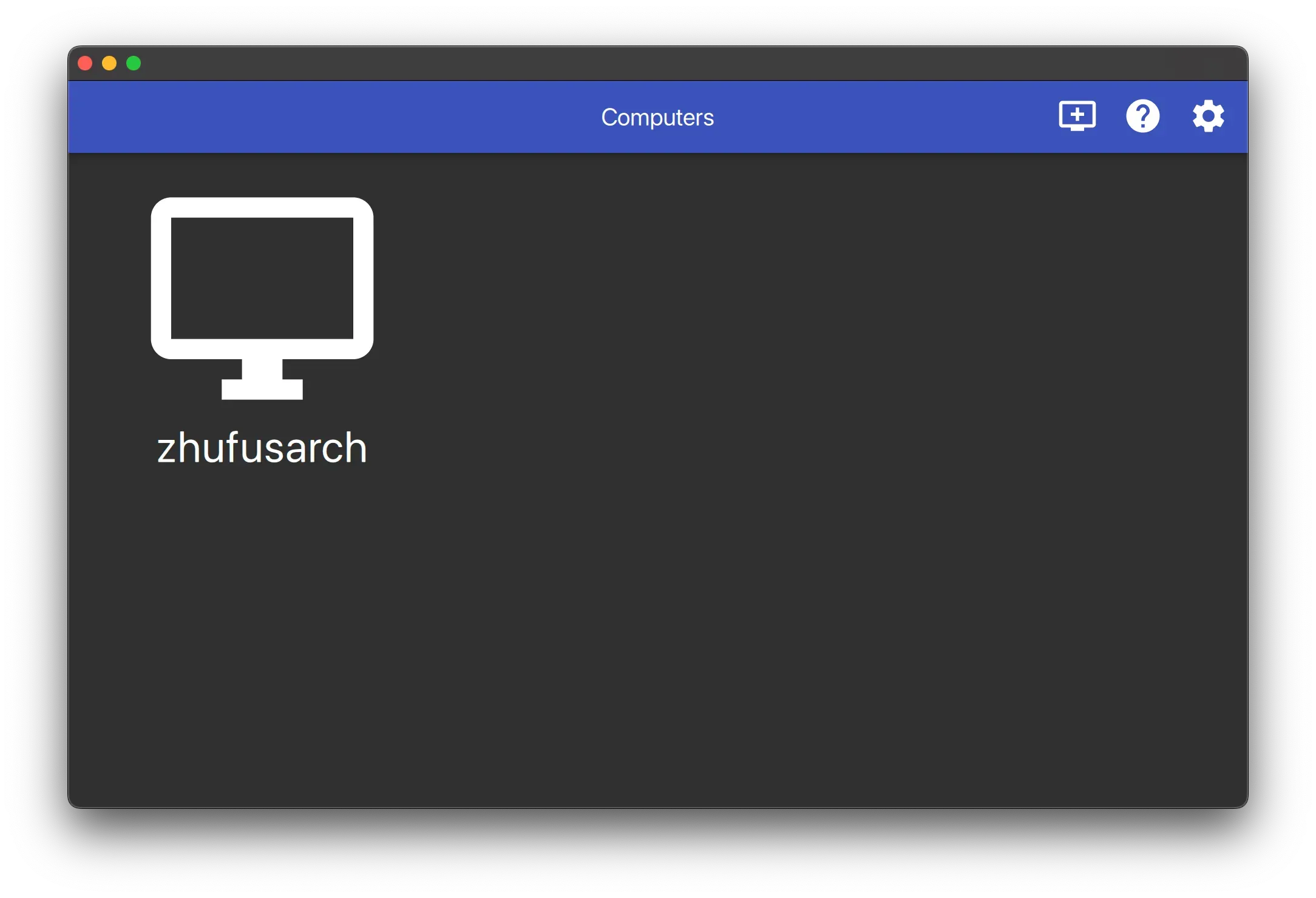
在Moonlight,可以看到电脑和它的主机名,在我的例子里,zhufusarch。
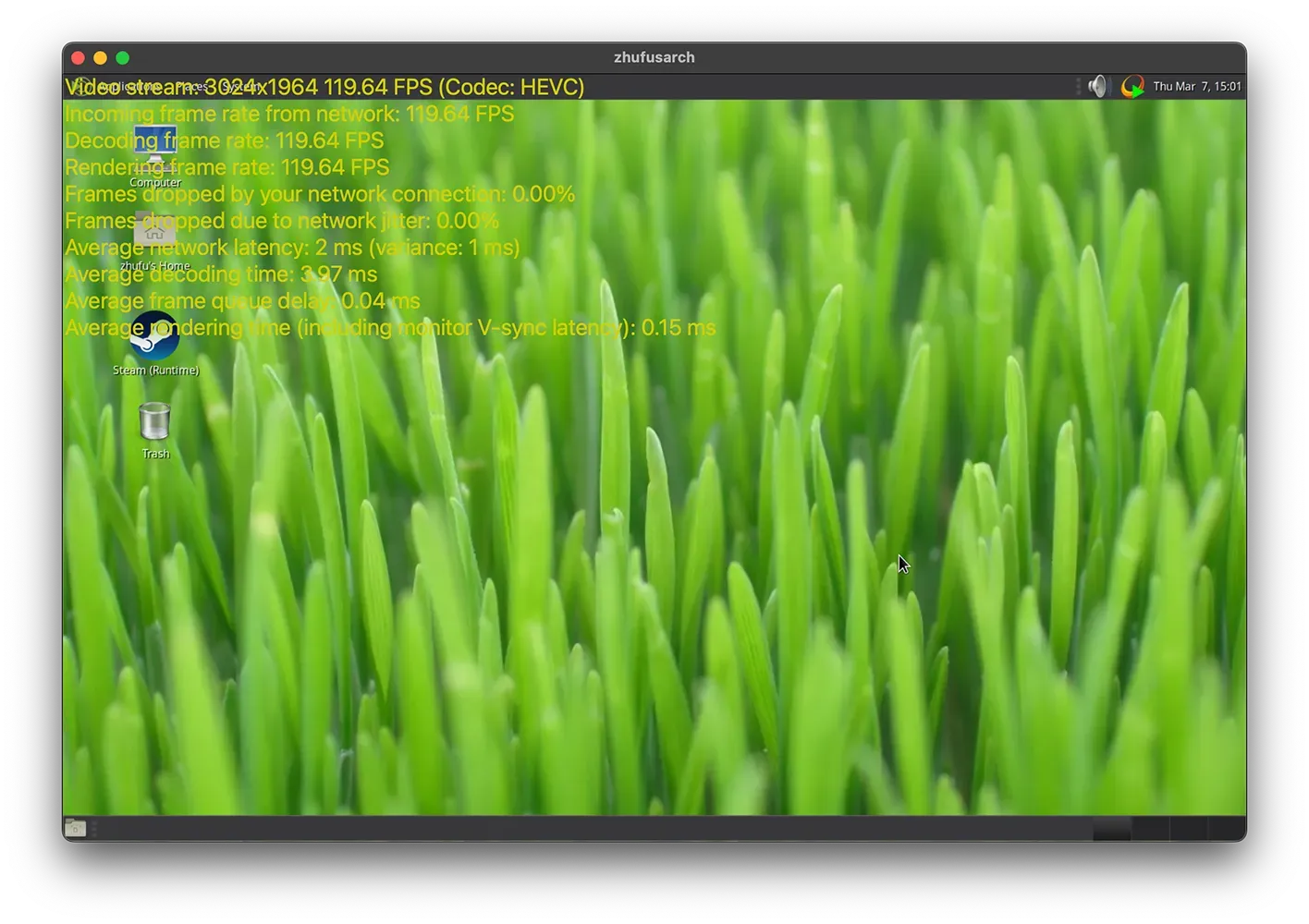
连接桌面,测试可用性。用Control - Option - Shift - S查看帧率等。
无人值守
需要修改loginctl的配置,所以不ssh登录也能让sunshine和xorg活着。
sudo loginctl enable-linger $(id -nu)找一个放用户脚本的地方,因为要用三个脚本。我喜欢放在~/.local/share/scripts里。
zhufu@zhufusarch ~> mkdir -p ~/.local/share/scripts && cd ~/.local/share/scripts
zhufu@zhufusarch ~> vim virtdisplay.sh
#!/bin/bash
dbus-launch

# Check existing X server
ps -e | grep X >/dev/null
[[ ${?} -ne 0 ]] && {
 echo "Starting X server"
 startx
} || echo "X server already running"
zhufu@zhufusarch ~> vim sunshine.sh

#!/bin/bash

sudo $HOME/.local/share/scripts/sunshine-setup.sh
echo "Starting Sunshine!"
sunshine
zhufu@zhufusarch ~> echo "sudo chown $(id -nu):$(id -ng) /dev/uinput \
&& sudo chown $(id -nu):$(id -ng) /dev/dri/card*" > sunshine-setup.sh
zhufu@zhufusarch ~> chmod +x *.sh
创建用户态systemd单元,所以xorg和sunshine可以随系统启动。
zhufu@zhufusarch ~> systemctl --user edit --full --force xorg-virtdisplay
[Unit]
Description=Xorg virutal display

[Service]
ExecStart=/home/zhufu/.local/share/scripts/virtdisplay.sh
Type=simple

[Install]
WantedBy=default.target
zhufu@zhufusarch ~> systemctl --user edit --full sunshine
[Unit]
Description=Sunshine is a self-hosted game stream host for Moonlight.
StartLimitIntervalSec=500
StartLimitBurst=5
Wants=xorg-virtdisplay.target
After=xorg-virtdisplay.target
[Service]
ExecStart=/home/zhufu/.local/share/scripts/sunshine.sh
Restart=on-failure
RestartSec=5s
Environment=DISPLAY=:0
[Install]
WantedBy=default.target启用这两个单元。
systemctl --user enable --now xorg-virtdisplay sunshine增加鲁棒性
问题
Sunshine在我的机器上不是最稳定的,四五次重新连接,它会panic。
[2024:03:09:15:00:30]: Error: Couldn't set default-sink [auto_null]: No such entity
[2024:03:09:15:00:30]: Error: Couldn't destroy session handle: Unable to cleanup NvFBC
[2024:03:09:15:00:30]: Error: Couldn't release NvFBC context from current thread: Unable to cleanup NvFBC
[2024:03:09:15:00:30]: Error: CreateBitstreamBuffer failed: out of memory
我没有明确的证据,但我感觉这和硬件有关系。我只会写软件,所以这是我的解法。
太阳花
Sunflower用最顶尖的编程技术,让Sunshine变得强健。它的做法是,检测到Sunshine工作不正常,叫它重启。
触发重启的条件是:
- 输出中包含
CreateBitstreamBuffer failed: out of memory - 不能访问HTTP控制台
可以用以下命令编译Sunflower。
paru -S rustup
rustup default

git clone https://github.com/zhufucdev/sunflower
cd sunflower
cargo build --release
Sunflower是Sunshine的包装。在sunshine.sh中,调用sunflower作为替代。
#!/bin/bash

sudo $HOME/.local/share/scripts/sunshine-setup.sh
echo "Starting Sunshine!"
- sunshine
+ sunflower https://localhost
可以修改代码,让它贴合具体情况。